How it works
How Pooled works
Pooled turns everyday shared money into something you can actually see. Here is the whole flow, from the first tap on the keypad to the month laid out in front of you.
Step one
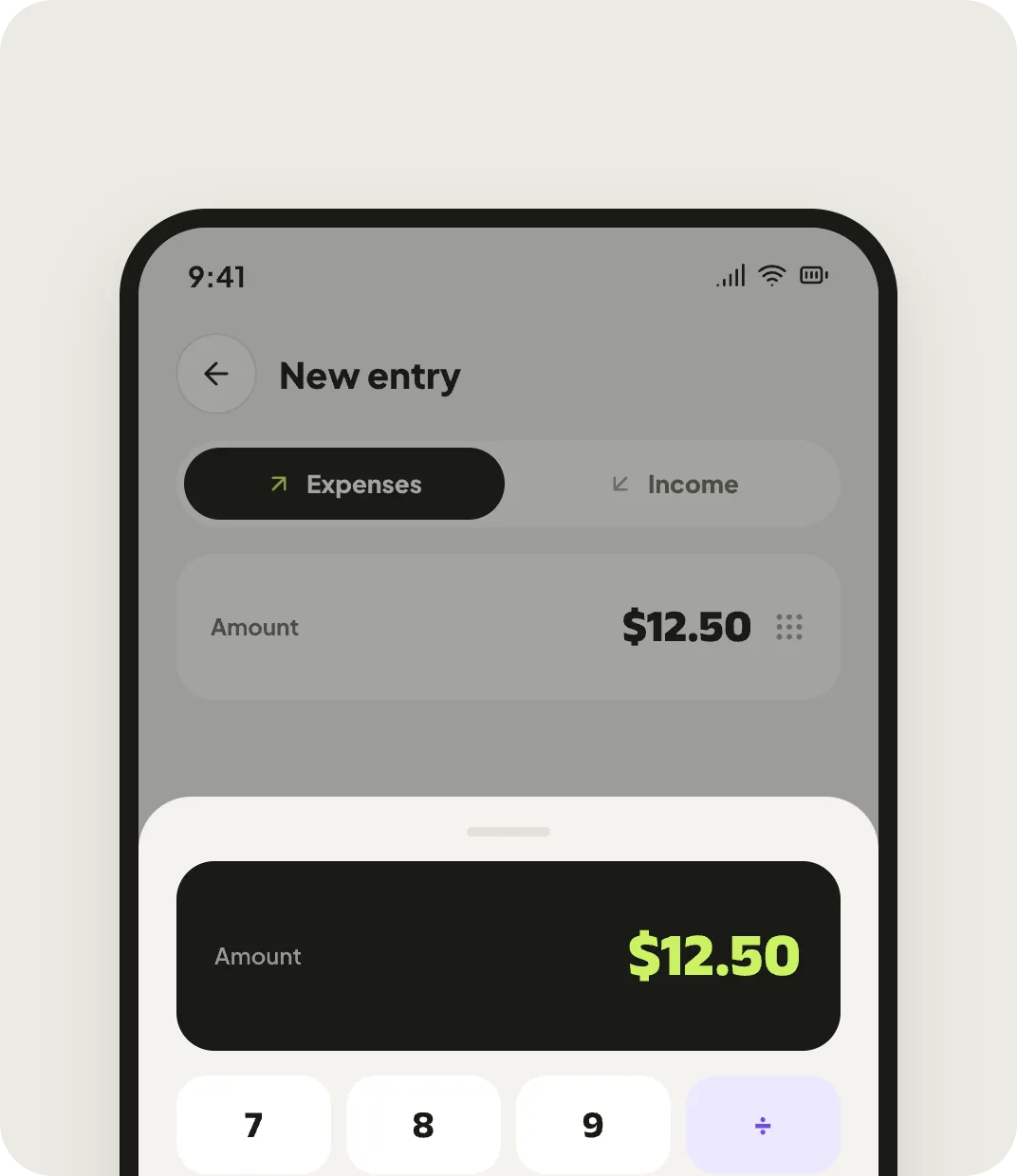
Add an expense in seconds with the keypad
Open Pooled, tap the plus and type the amount on the big keypad. Pick a category, choose how you paid, and save. Most entries take under five seconds, so logging money never becomes the chore you quietly stop doing.
- A full-size keypad built for one hand and quick thumbs
- A calculator in the amount field, for a number you have to work out first
- Works completely offline, and syncs when you are back online
Step two
Keep personal and shared money apart
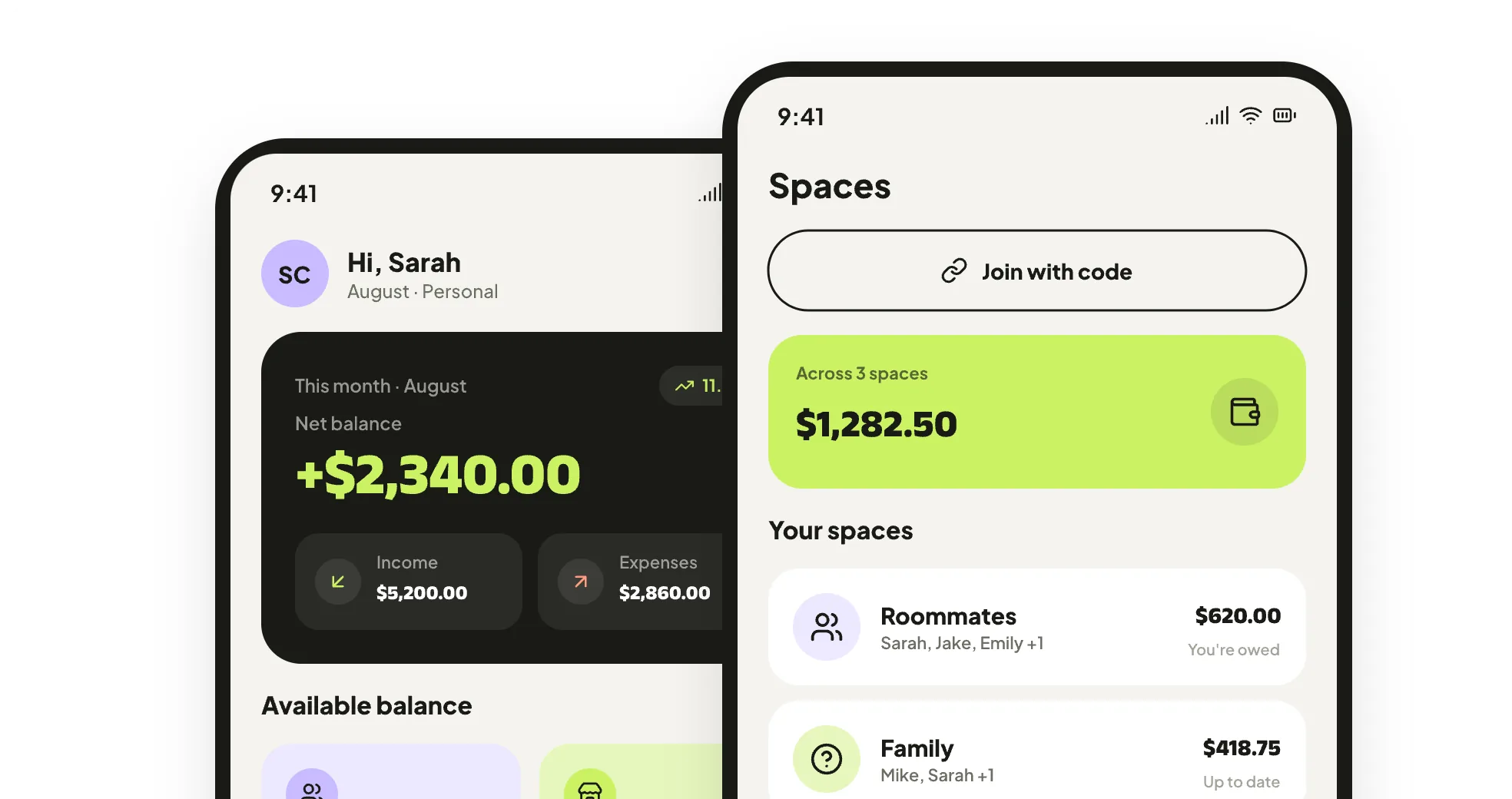
Your own spending stays in a personal wallet only you can see. For the people you share costs with, make a shared space — flatmates, family, a road trip. Each one holds its own entries, its own members and its own running balance, so the grocery run never lands in the wrong place.
- A private personal wallet that is never shared by the app
- Shared spaces for flatmates, family and trips
- Invite people with a six-character code — no account hunting
Step three
See where everyone stands
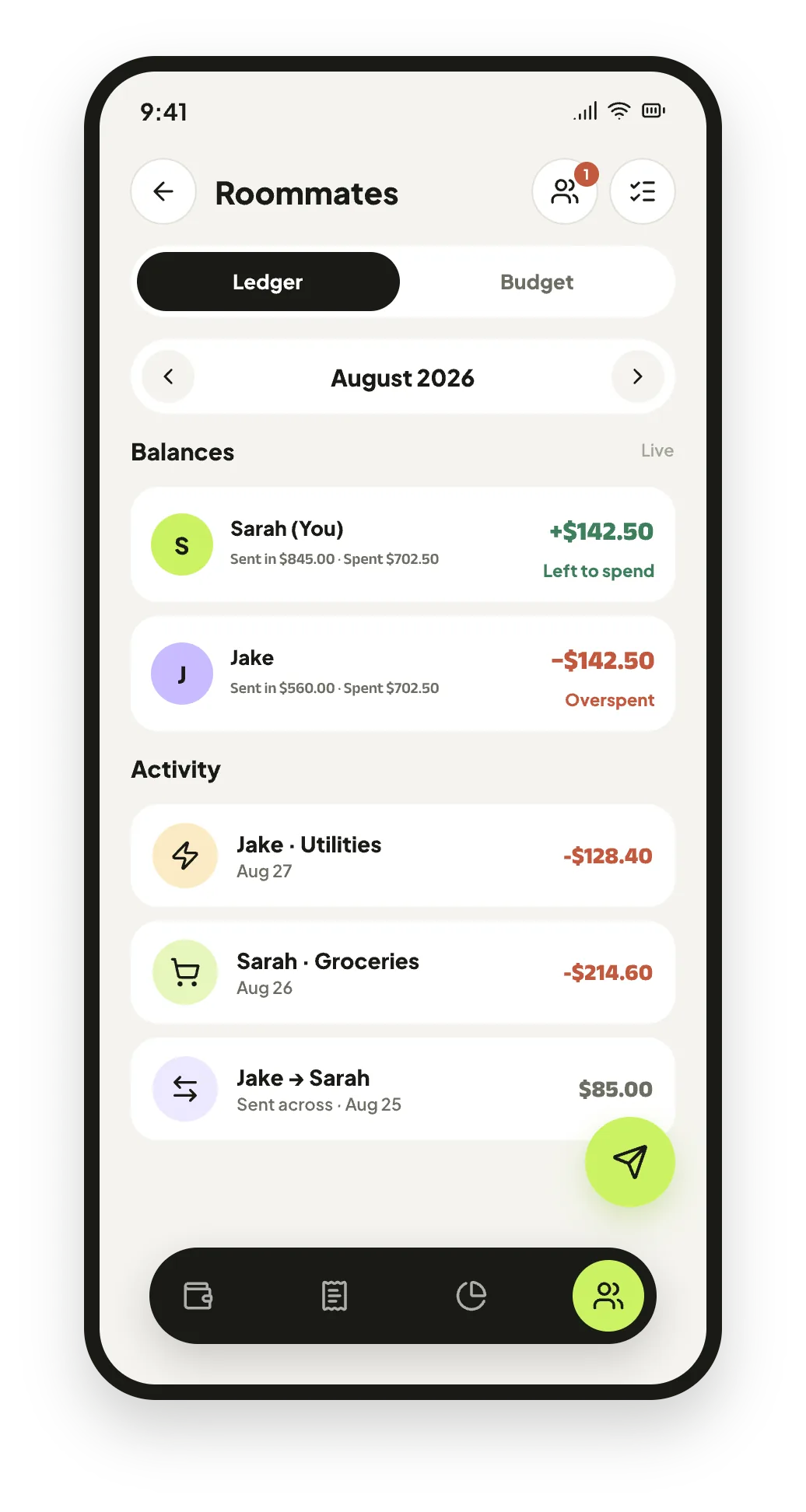
Send money ahead into a shared space and it becomes spending power somebody can draw on. As they add expenses, their balance comes down. The ledger shows each member with a clear plus or minus, so nobody has to reconstruct the month from memory.
- A live balance per member, always up to date
- Money sent across shows up on both sides of the ledger
- Every entry stays visible, so the maths is never a mystery
Step four
Watch the month take shape
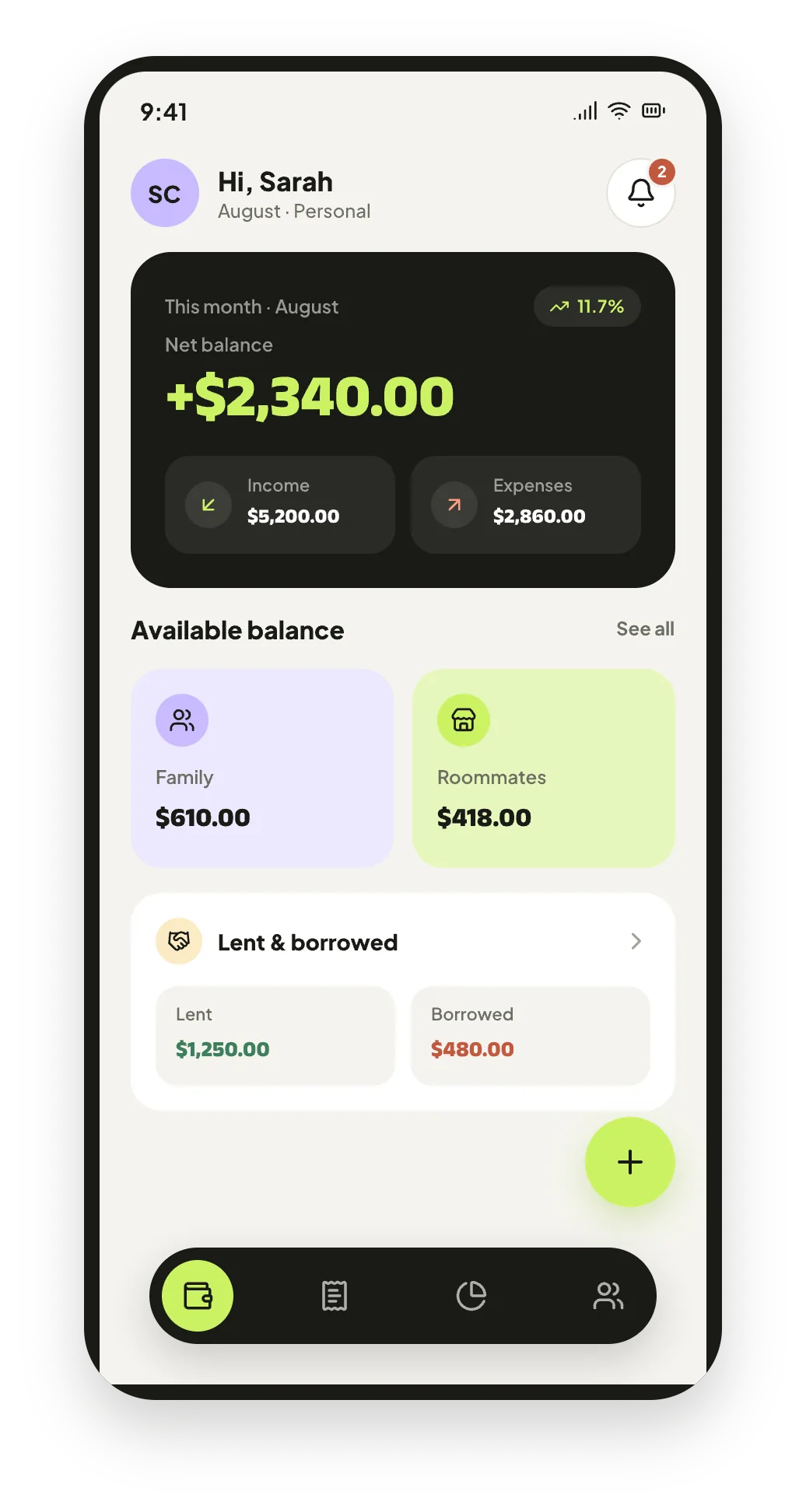
The dashboard keeps the bigger picture: what came in, what went out and what is left. Analytics turns the same entries into weekly bars and a category ranking, and every balance is recalculated from the records rather than stored — so it can always be traced back to the entries that made it.
- Monthly net balance, with income and expenses side by side
- Weekly bars and a category ranking with each one's share
- Budgets that warn you in the app before the limit goes
Free on Android
Start tracking in the next five minutes
Pooled is free to download. Add your first expense today, invite the people you share costs with, and let the balances take care of themselves.